
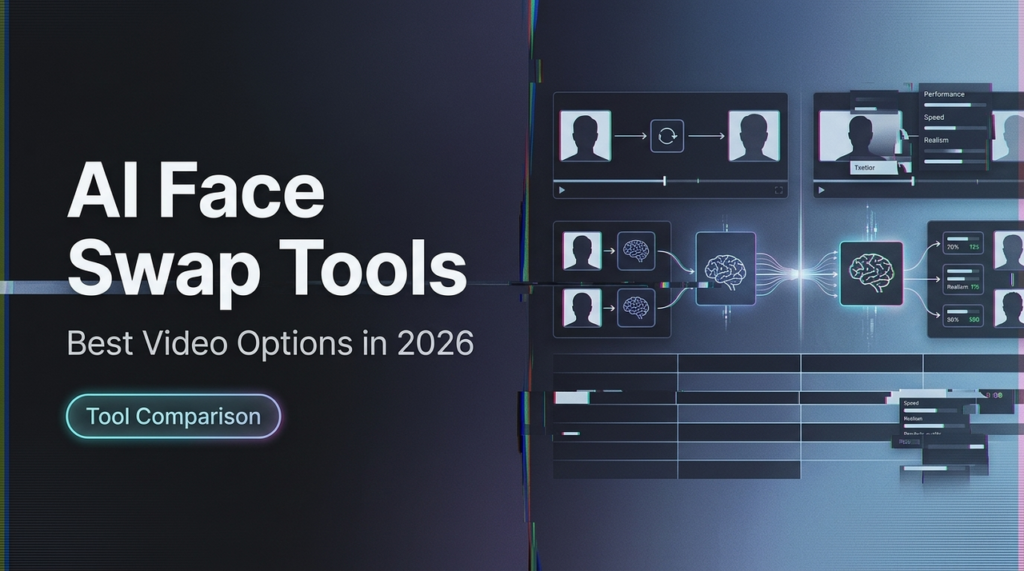
June 2026 marks a massive shift in digital content creation. The era of glitchy, uncanny digital replacements is officially behind us. Over the last several weeks, I examined and reviewed each of the leading AI face swap and video editing platforms to determine who has the capacity to meet the rigorous demands of modern creators, social media marketers, and startup builders.
Whether you need to localize a global video advertisement, substitute an actor seamlessly, or build an automated pipeline for high-fidelity generative media, the current state of technology offers unprecedented speed, realism, and control.
At a Glance: Top AI Video Face Swap Tools
| Tool | Best For | Standout Feature | Platform | Free Plan |
| Magic Hour | Best Overall / High Fidelity | One-click multi-step workflows | Web / Mobile | Yes (Generous) |
| DeepFaceLab | Technical VFX Specialists | Granular deep learning control | Desktop (PC) | Open-source |
| Reface | Quick Social Media Content | Massive trending template library | Web / App | Limited |
| Vidnoz AI | Corporate Training Videos | Multi-avatar presentation tools | Web | Daily Free Credits |
| Remaker AI | Batch Photo & Video Processing | Simple multi-face swap interface | Web | Limited |
1. Magic Hour
Magic Hour is my top choice for the best video face swap AI, based on extensive hands-on testing. It operates as an all-in-one hub for many of the best frontier AI models, offering a unified ecosystem optimized for both desktop and mobile.
What sets Magic Hour apart is its “Click to Create” philosophy. As a founder, I don’t have hours to spend engineering complex prompts or configuring local command lines. Magic Hour solves this
with pre-optimized templates and a brilliant, one-click automated workflow that lets you handle generation, upscaling, face swapping, and lip-syncing all in one seamless pipeline.
Pros:
Access to Frontier Models: Integrates top-tier engines into a single, high-performance interface.
No Concurrency Cap: You can run parallel generations at scale without hitting artificial bottlenecks.
Credits Never Expire: A highly flexible model where you pay only for what you actually use.
Full API Parity: Everything accessible via the web interface is available natively through their reliable API.
Unusually Generous Free Tier: No signup is required to try out the core capabilities right away.
Cons:
The feature-rich ecosystem may require a few minutes to fully explore.
During sudden traffic spikes, free tier users may experience longer queue times due to processing prioritization.
My Evaluation: If you need to produce flawless, professional deepfakes or localized media assets without a steep learning curve, Magic Hour is unmatched. The platform delivers incredible performance at scale, and getting “Founder-level” support responses during my review confirmed its dedication to professional builders.
Price:
Free: Generous starting tier with no signup required to try.
Creator: $15/month (or $10/month billed annually).
Pro: $39/month (or $25/month billed annually).
2. DeepFaceLab
DeepFaceLab remains the gold standard for high-end cinematic VFX artists who require absolute authority over every single pixel.
Pros:
Unmatched granularity, allowing deep custom model training on specific target faces.
Entirely open-source with a massive global community of developer support.
Cons:
Requires a high-end local GPU and deep technical expertise to operate.
Completely lacks a modern, cloud-hosted user interface.
My Evaluation: For traditional filmmakers and high-budget production houses, DeepFaceLab is indispensable. For quick content generation, it is far too slow.
Price: Free (Open-source).
3. Reface
Reface is optimized for rapid-fire consumer engagement and pop-culture memes, serving mobile creators incredibly well.
Pros:
Massive, daily-updated library of movie clips, GIFs, and trending media.
Instantaneous cloud rendering on their mobile application.
Cons:
Lacks the necessary fidelity for corporate or commercial video advertisements.
Restricted customization options for custom background assets.
My Evaluation: Perfect for social media managers looking to jump on viral internet trends within minutes.
Price: Limited free tier; premium subscription plans start at $12.99/month.
4. Vidnoz AI
Vidnoz AI targets the corporate B2B landscape, specializing in automated presentations, e-learning videos, and marketing collateral.
Pros:
Strong suite of complementary marketing tools, including text-to-speech and talking photos.
Clean, intuitive dashboard designed for standard office workflows.
Cons:
Face swapping can feel rigid compared to creative, motion-centric tools.
Paid tiers get expensive quickly if processing large volumes of media.
My Evaluation: An excellent choice for sales and HR teams looking to deploy generalized avatar videos across internal training decks.
Price: Free limited tier; business packages start at $29.99/month.
5. Remaker AI
Remaker AI is a straightforward, lightweight web tool tailored specifically for batch photo and video adjustments.
Pros:
Handles multi-face swapping natively, recognizing multiple people in a single frame.
Simple layout that requires zero technical onboarding.
Cons:
Missing advanced video orchestration features like upscaling or detailed timeline editing.
Occasional artifacting around complex hair structures or sudden lighting shifts.
My Evaluation: A highly efficient tool if you need to rapidly swap multiple characters in standard, short-form digital assets.
Price: Credit-based system starting at $2.99 for small batches.
How We Picked These Tools
I dedicated weeks to testing these tools with the exact same baseline video sets: a high-motion sequence, a multi-person shot, and a close-up cinematic portrait. I paid close attention to instructions tracking, edge consistency around the jawline, and natural eye-blinking behaviors. I valued platforms that don’t lock their functionality behind forced registration and those providing clear value for professional workflows.
The Market Landscape & Trends
We are quickly transitioning from standalone video generation to full-scale digital orchestration. The top creators of 2026 do not rely on isolated platforms. Instead, they run complex multi-step pipelines. To stay ahead, consult resources like the Magic Hour Lip Sync Guide to understand how face modifications seamlessly pair with real-time vocal tracks.
Final Takeaway
For overall value, parallel processing, and speed: Use Magic Hour. It is the most robust tool available for modern digital content creation.
For Hollywood-level control: Deploy DeepFaceLab.
For viral social clips: Stick with Reface.
FAQ
Q: Can I face swap multiple people in a single video clip?
A: Yes, advanced platforms like Magic Hour and Remaker AI are explicitly designed to detect, separate, and swap multiple faces in a single video file.
Q: Do I need an expensive computer to run these AI tools?
A: No. Aside from open-source options like DeepFaceLab, the vast majority of modern platforms operate entirely on cloud infrastructure, meaning all processing happens on remote servers.
Q: Are these AI-generated videos cleared for commercial advertising?
A: Most paid subscriptions grant full commercial rights. However, you should always verify the specific Terms of Service of your chosen platform, particularly when working with free tiers.