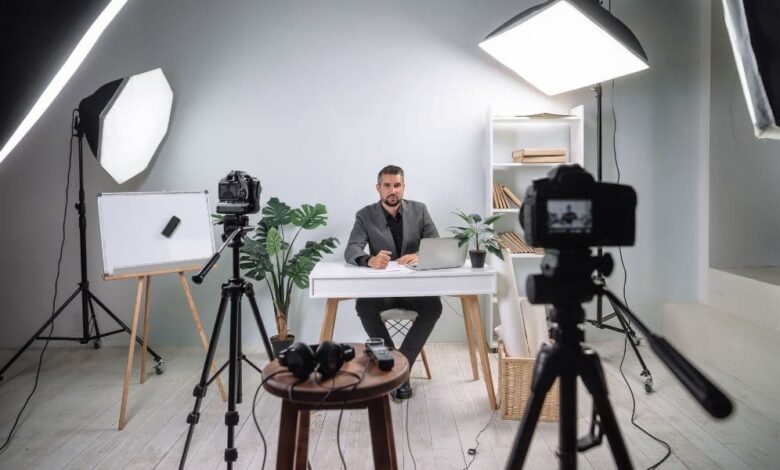
Remote communication has become a central part of modern professional life. Whether attending virtual meetings, hosting webinars, or collaborating with distributed teams, the quality of video and audio can shape the entire experience. While many people focus on software platforms and internet speed, an often overlooked factor is the performance of the hardware used to connect.
A poorly configured camera or microphone can disrupt a meeting, reduce engagement, and create unnecessary frustration. In technology-driven workplaces where efficiency and clarity are important, these issues can quickly become noticeable. Businesses, educators, and content creators are increasingly recognising that preparation plays a major role in delivering smooth digital interactions.
This growing reliance on video communication has made simple diagnostic steps far more valuable than they once were.
Why Professionals Should Test Their Webcam and Microphone Before Meetings
Before joining any online session, many professionals now take a moment to test their webcam and microphone to ensure everything works correctly. This quick step can prevent technical difficulties that might otherwise interrupt presentations or discussions.
Modern work environments often rely on video conferencing tools for daily collaboration. If audio fails or video appears distorted, the entire meeting can lose momentum. Participants may struggle to follow conversations or become distracted by repeated troubleshooting attempts.
By checking camera clarity and microphone input beforehand, users can confirm that their device settings are correct. This simple process helps avoid delays and ensures a more professional experience for everyone involved.
In sectors such as technology, finance, and digital services, where meetings frequently involve clients or stakeholders, reliability reflects professionalism.
The rapid growth of remote collaboration
Over the past few years, remote collaboration has evolved from a convenience into a necessity. Teams are now spread across cities, countries, and time zones. Businesses that once depended on physical offices have adopted flexible working models that rely heavily on digital communication.
This shift has introduced new expectations for how meetings should function. Participants expect clear visuals, stable audio, and minimal disruption. Even small technical issues can affect productivity when they occur repeatedly across multiple sessions.
For organisations that conduct webinars, product demonstrations, or online training sessions, maintaining consistent quality is especially important. Audiences attending virtual events expect the same level of clarity they would receive from professional broadcasts.
As a result, preparation has become part of everyday digital etiquette.
Common issues that affect webcam performance
Although most modern laptops and devices include built-in cameras, performance can vary depending on settings and environmental factors. Lighting conditions, background noise, and device configuration all influence how well video communication works.
Poor lighting is one of the most frequent problems. When a room is too dark or overly bright, cameras struggle to adjust, resulting in unclear visuals. Positioning yourself near natural light or using a simple desk lamp can make a significant difference.
Camera placement is another important factor. A webcam positioned too low or too high may create an unprofessional appearance during meetings. Adjusting the device to eye level helps maintain natural communication and improves overall presentation.
Additionally, outdated drivers or incorrect privacy settings can prevent the camera from functioning properly. These issues are often easy to resolve once identified.
Audio quality and why it matters
While video enhances communication, audio remains the most critical element in virtual meetings. If participants cannot hear clearly, the entire conversation becomes ineffective.
Microphone issues often arise from incorrect input selection or background noise interference. Many devices include multiple audio options, and selecting the wrong one can result in muted or distorted sound.
External microphones and headsets can improve clarity, particularly in shared workspaces or busy home environments. Noise reduction features also help maintain focus during discussions.
Testing audio before joining a meeting ensures that the correct microphone is active and functioning as expected. This reduces interruptions and allows meetings to proceed smoothly.
The impact of technical readiness on professional image
In the digital workplace, technical readiness contributes to professional credibility. A meeting that begins with audio troubleshooting or camera adjustments can create a negative first impression.
This is particularly relevant when presenting to clients, conducting interviews or delivering training sessions. A smooth start demonstrates organisation and preparation, while repeated technical delays can reduce confidence in the presenter.
Professionals who consistently check their equipment before meetings often avoid these challenges. Over time, this habit supports stronger communication and better collaboration.
How simple preparation improves productivity
Even minor delays during virtual meetings can add up over time. When teams meet frequently, resolving repeated technical issues can reduce overall productivity.
Preparing equipment beforehand helps meetings start on time and remain focused on their objectives. Instead of addressing technical disruptions, participants can concentrate on decision making, problem solving and project discussions.
In large organisations where multiple departments rely on virtual collaboration, this efficiency can have a measurable impact.
Additionally, participants feel more confident when they know their setup is functioning correctly. Confidence encourages clearer communication and more effective participation.
Technology trends shaping remote communication
As digital collaboration continues to evolve, new technologies are improving how meetings are conducted. Higher resolution webcams, improved microphones and smarter software features are becoming more common in modern devices.
Artificial intelligence is also playing a role. Some platforms now include automatic background adjustments, voice enhancement and noise filtering. These features help improve quality even in less than ideal environments.
However, even advanced tools require proper configuration. Testing equipment remains an essential step regardless of technological improvements.
Professionals who stay informed about these trends are better equipped to adapt to new communication standards.
Best practices for reliable video meetings
Achieving a reliable setup does not require complex technical knowledge. A few practical steps can significantly improve meeting quality.
Ensuring that software applications have permission to access the camera and microphone is an important starting point. Updating device drivers and operating systems also helps prevent compatibility issues.
Maintaining a stable internet connection is equally important. While hardware performance is critical, connectivity affects both audio and video quality.
Finally, conducting a quick equipment check before joining meetings helps confirm that everything is functioning properly. This small step often prevents larger issues later.
The role of preparation in virtual events and webinars
Beyond everyday meetings, webinars and virtual events require even greater attention to technical detail. Presenters must ensure that their video and audio remain clear throughout longer sessions.
Audience engagement depends heavily on the presenter’s ability to communicate effectively. If participants experience audio interruptions or unclear visuals, they may lose interest quickly.
Testing equipment before an event helps presenters focus on delivering valuable content rather than managing technical problems. It also reduces stress and increases confidence during live sessions.
For organisations hosting online events, encouraging speakers to verify their setup in advance improves the overall experience for attendees.
Why digital communication skills are becoming essential
Technical literacy has become an important professional skill. Knowing how to configure devices, troubleshoot basic issues and prepare equipment reflects adaptability in modern workplaces.
As remote and hybrid work models continue to grow, these skills will remain relevant across industries. Employees who understand how to optimise their digital tools contribute to smoother collaboration and stronger team performance.
Companies are also recognising the importance of training employees in digital communication practices. Providing guidance on equipment setup, meeting etiquette and technical troubleshooting helps maintain consistency across teams.
Looking ahead to the future of online collaboration
The future of communication will likely include even more advanced virtual environments. Innovations in video quality, immersive experiences and collaborative platforms will continue to shape how professionals interact.
Despite these advancements, the fundamentals of preparation and reliability will remain important. Technology may evolve, but successful communication will always depend on clarity and readiness.
As organisations adopt new tools and platforms, ensuring that devices function properly will remain a key part of professional practice.
Conclusion
Digital communication has become an essential component of modern work and collaboration. From team meetings to large scale webinars, reliable video and audio play a crucial role in ensuring productive interactions.
Taking a few moments to verify equipment before joining a session can prevent disruptions and support a more professional environment. Clear communication not only improves efficiency but also strengthens relationships between colleagues, clients and partners.
As technology continues to advance, preparation will remain a simple yet powerful step in delivering successful online experiences.